

Product Video
WB Invoice System
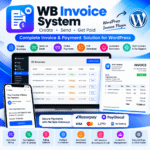
WB Invoice System is a powerful WordPress invoice management plugin that lets you create professional invoices, add multiple line items with individual tax options, manage billing details, generate PDF invoices, send invoices via email, and automate payment reminder emails. With multi-currency support and integrated payment gateways, it helps freelancers, agencies, and businesses manage invoicing and collect payments directly through WordPress.
WB Invoice System – WordPress Invoice & Payment Management Plugin
WB Invoice System is a complete WordPress invoice management solution designed for freelancers, web developers, digital agencies, service providers, and businesses that need a simple way to create invoices and collect online payments.
Create invoices directly from your WordPress admin dashboard, add multiple products or services, configure item-wise taxes, manage customer billing addresses, generate downloadable PDF invoices, and send invoices to customers via email.
With multi-currency support, country-specific tax options, automated payment reminder emails, and payment gateway integration, WB Invoice System helps streamline your invoicing workflow without requiring a separate invoicing platform.
Key Features
1. Easy Invoice Creation
Create and manage customer invoices from your WordPress dashboard using a straightforward invoice management interface.
2. Multiple Invoice Line Items
Add multiple products or services to a single invoice, with individual item descriptions, pricing, and tax options.
3. Item-Wise Tax Management
Configure taxes for individual invoice items to support different tax requirements across products, services, and countries.
4. Multi-Currency Support
Create invoices in supported currencies, including INR, USD, EUR, GBP, AED, SGD, AUD, and CAD.
5. Country-Specific Tax Options
Configure applicable tax options for different markets. Tax requirements should be reviewed according to your business location and applicable regulations.
6. PDF Invoice Download
Generate PDF invoices that customers can download and keep for their records.
7. Invoice Email Delivery
Send invoices directly to customers by email, making it easier to share payment details and invoice information.
8. Automatic Payment Reminder Emails
Automate reminders for outstanding invoices to help customers remember pending payments and reduce manual follow-ups.
9. Customer Billing Address
Add customer billing details to invoices for more complete and professional billing documentation.
10. Online Payment Integration
Connect supported payment gateways, including Razorpay and PayGlocal, to allow customers to pay eligible invoices online. Available payment methods depend on gateway configuration and account eligibility.
11. Complete Invoice Management
Create, view, edit, and delete invoices from the WordPress admin dashboard. Manage invoice records and monitor their payment status.
12. Payment Status Management
Track invoice statuses such as Paid and Pending, helping you identify completed and outstanding payments.
Who Can Use WB Invoice System?
- Freelancers and independent professionals
- WordPress developers and web design agencies
- Digital marketing agencies
- IT companies and service providers
- Consultants and business owners
- Small businesses that invoice customers for products or services
Why Choose WB Invoice System?
WB Invoice System brings invoice creation, customer billing, PDF generation, email delivery, payment collection, and reminder management together in your WordPress dashboard.
Instead of managing invoices manually across multiple tools, you can organize your invoicing workflow from your own website.
Get started with WB Invoice System and simplify the way you create, send, and manage customer invoices in WordPress.
Payment & Tax Notice
Payment gateway availability depends on your configured account, supported currency, and gateway requirements. Tax calculation and reporting should be verified for the applicable jurisdiction. The plugin does not replace professional accounting or tax advice.
No reviews yet. Be the first to review this product!
Add a Review
Thank You!
Your review has been submitted successfully and is now awaiting approval.
Added to Cart!
Your product has been successfully added to the cart.
Related Products